
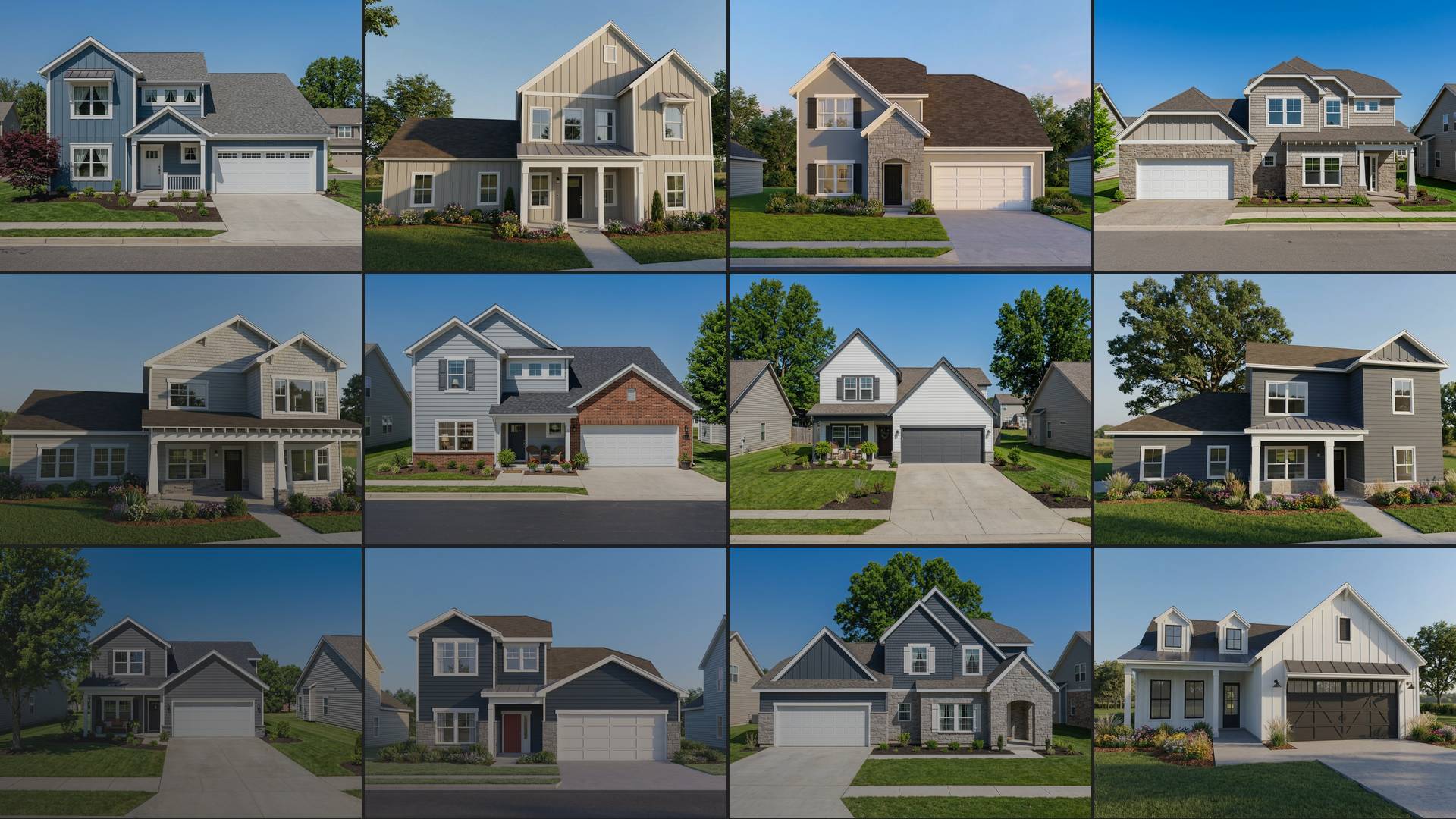
Buyers are often trying to picture how a home will look with the options they want — something floor plans, renderings and a single model home can only show in part. With Showroom, Higharc’s 3D home configurator for builders, buyers can configure home plans directly on your website or during a sales meeting and see their selections update in 3D in real time. They can explore available options, compare elevations and exterior palettes, and visualize the home they’re creating. This helps them better understand what they’re buying and gets them more invested, which allows sales teams to close faster.
Buyers can visualize their home with a 3D home configurator
Homebuyers increasingly do more of their home search before connecting with sales, and digital visualization plays a growing role in how they evaluate properties. Research published in Information Systems Research found that interactive 3D home visualization gives buyers more information to evaluate whether a home is right for them before making a decision.
Higharc Showroom is a 3D home configurator that buyers can use on a builder’s website or with a sales rep during an appointment.
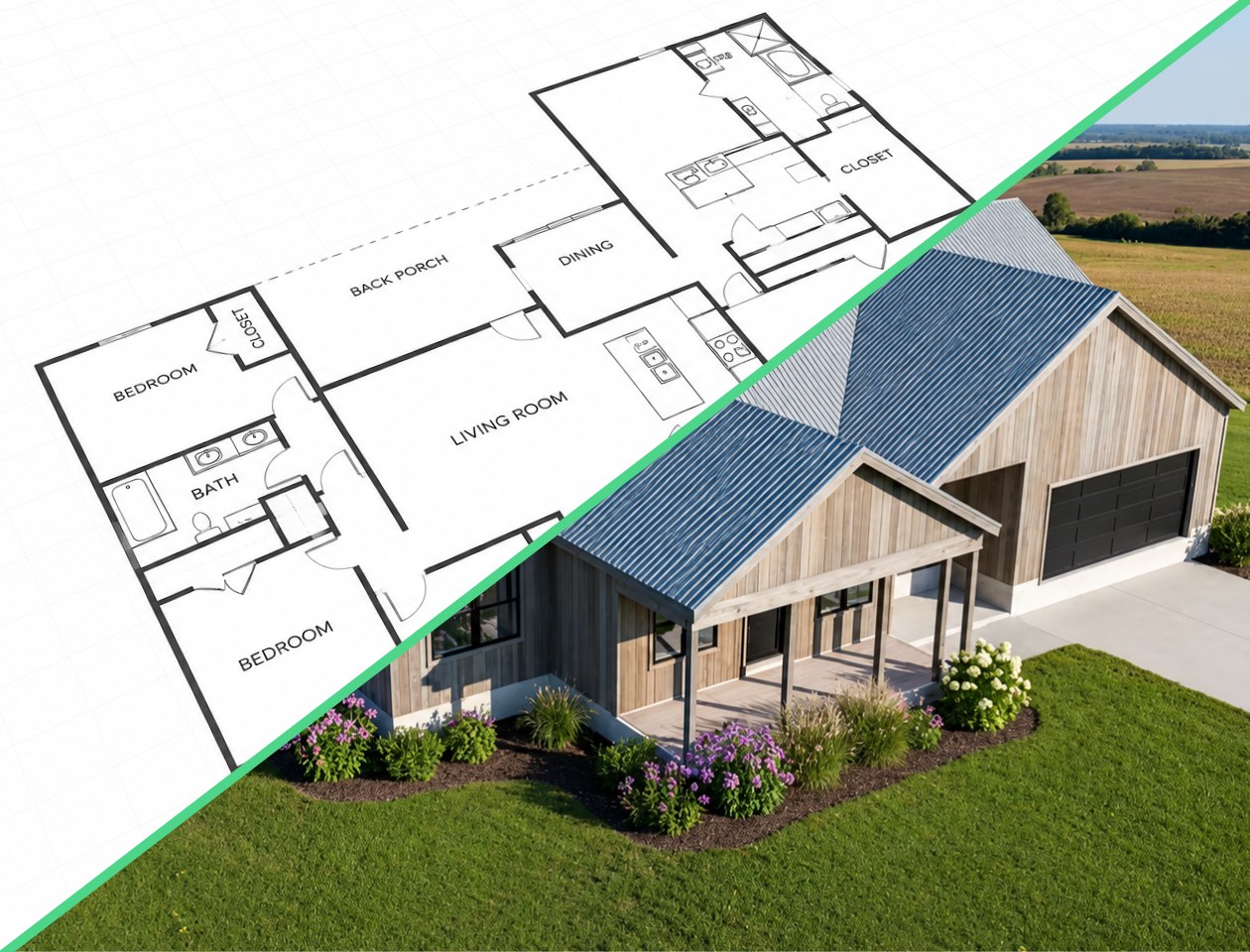
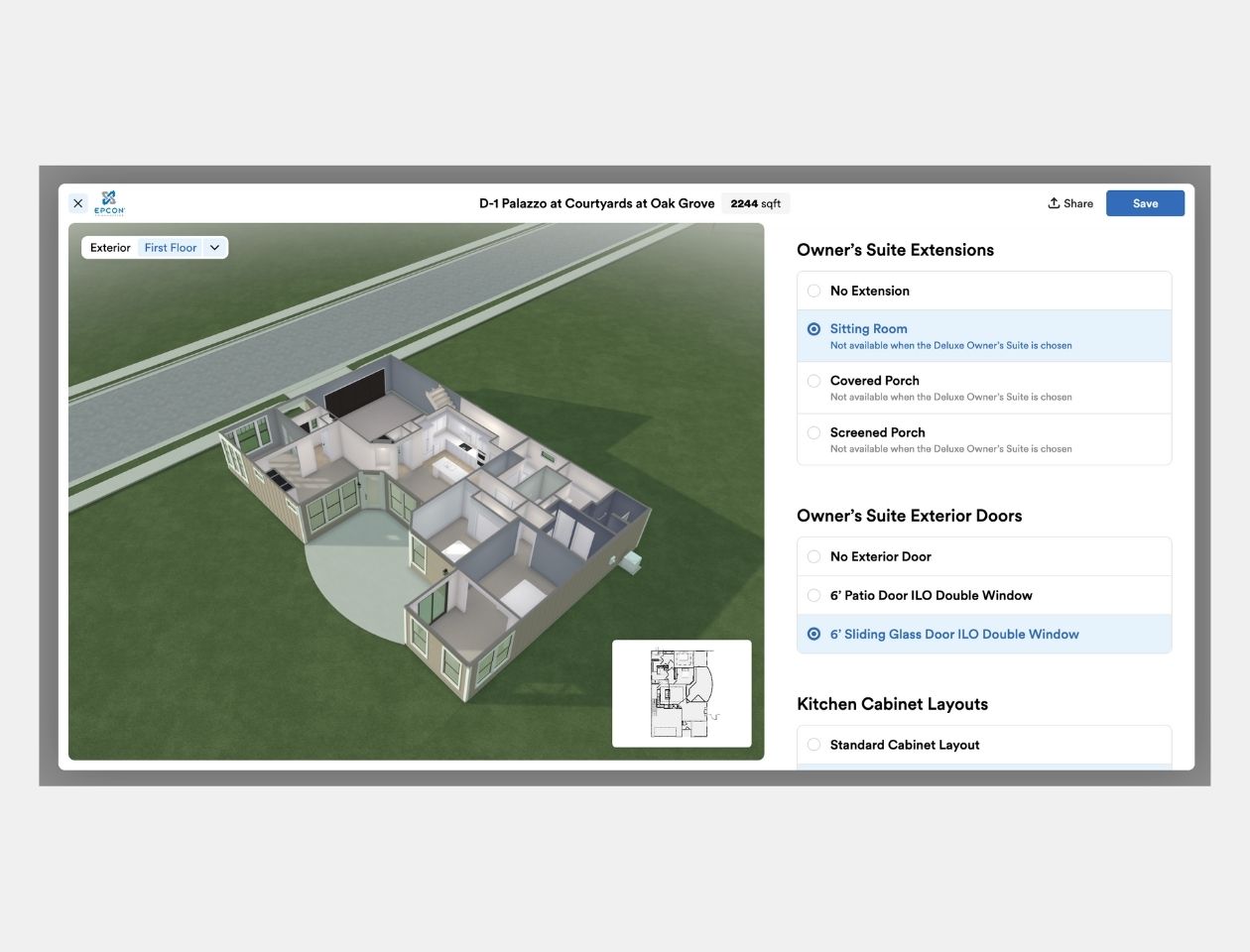
As buyers select options, they can see changes update in real time in the 3D interior dollhouse view, 3D exterior view and traditional 2D floor plan. They can immediately see what different elevations and exterior palettes look like, as well as how choices like a 3-car garage or larger porch impact the home.
Buyer selections updating in Higharc Showroom’s 3D exterior and dollhouse views.
Carry buyer choices into the sales conversation
When a prospect explores Showroom on your website and saves a configuration, your sales team receives their contact information along with the home plan and options they chose.
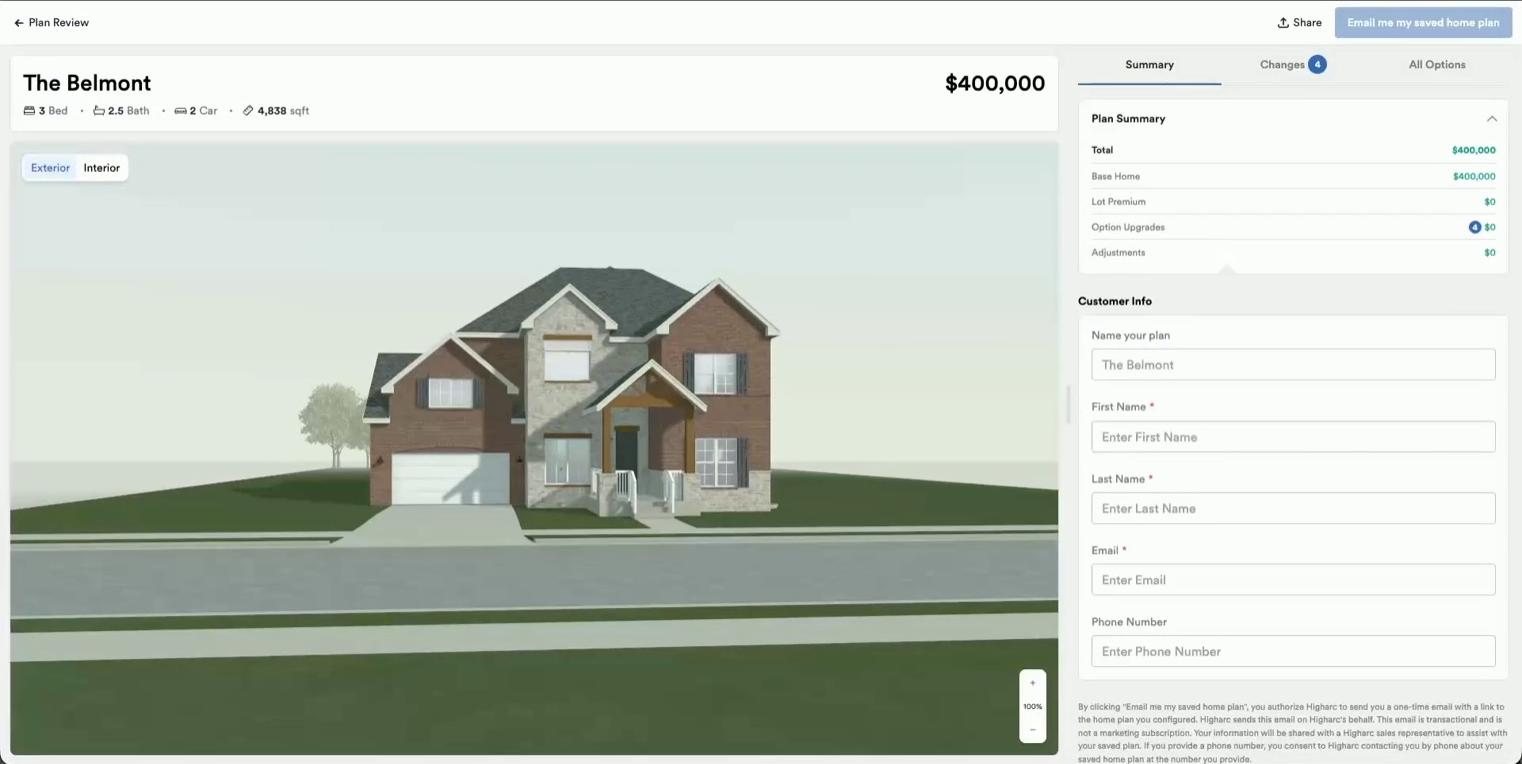
Saved home configuration in Higharc Showroom with buyer contact details
Instead of a lead who’s simply interested in a new home, a sales rep might receive a prospect who’s selected the Monterey plan with a three-car garage, screened porch and walkout basement in a specific community. The rep can pick up where the buyer left off, turning the initial sales appointment into a collaborative session focused on refining their choices.
During the appointment, the salesperson can use Showroom to walk buyers through additional structural options and configurations in real time. Showroom automatically manages intersecting options to prevent invalid combinations and help buyers understand trade-offs.
Sales rep searching home options during a buyer appointment in Higharc Showroom.
At Ashlar Homes, prospects who configure a home in Higharc Showroom convert to appointments at a higher rate than those who don’t. Of those prospects, 43% converted to appointments and 10.1% went on to contract. The appointment conversion rate was 13 percentage points higher than among leads who hadn’t configured a home.
Help buyers make purchasing decisions with 3D visualization
During sales appointments, Showroom lets sales reps walk buyers through available floor plans, elevations and structural options in interactive 3D.
When buyers need a more realistic picture of the home they're considering, AutoRender can generate photorealistic images of the model from different viewing angles in seconds.
Matt Riley of New Home Inc. was in the field with a customer who was considering a new home plan that hadn't been built before. The customer and his wife, who was in Florida, were having trouble choosing between elevations featuring a side-load three-car garage.
Riley walked the customer through the options in Showroom's 3D and dollhouse views, but the customer was still having trouble picturing the finished home. Riley then used AutoRender to generate multiple views of two elevations, including side and rear perspectives.

The front view of the home, created in the field with Higharc AutoRender.
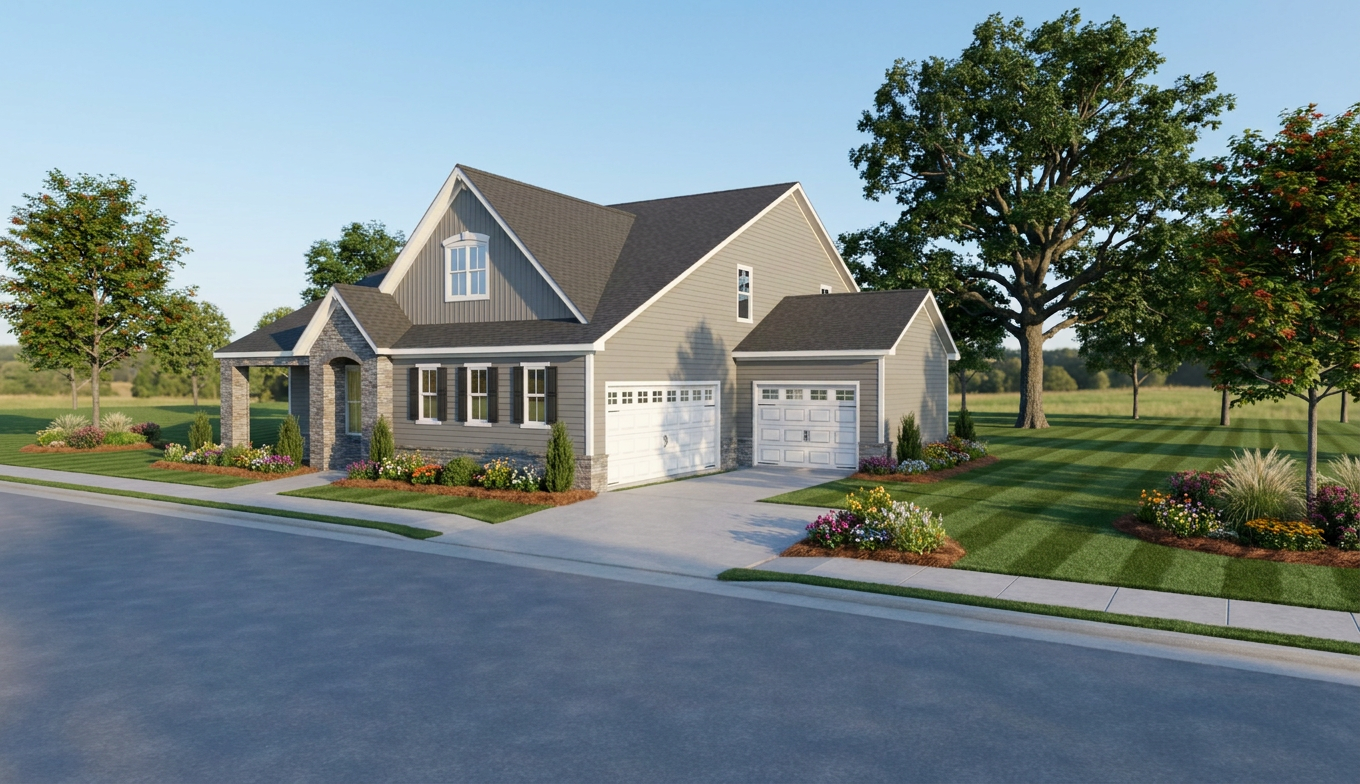
View from drive, created in the field with Higharc AutoRender.
While Riley and the customer were still in the field, they sent the renderings to the customer’s wife in Florida. She selected an elevation, and they wrote the contract right there on the spot.
This true-life example illustrates how sales reps can use Showroom to help buyers evaluate structural options and make decisions, even when everyone involved can't attend the same appointment.
Buyer selections are connected to the estimate and construction documents
As buyers configure their home in Showroom, Higharc’s automated takeoffs update in real time to reflect their selections. This gives builders visibility into how each option affects cost and margin before the contract is signed.
Option pricing in Higharc Showroom next to the 3D home model
Because Showroom is connected to the same home model used throughout Higharc, the selected configuration also carries into the construction documents tied to that home. As soon as the buyer signs, the builder has all the data needed to move the home toward permitting. This allows construction to start sooner so you can move more quickly toward the home closing.
Turn 3D home configuration into better sales outcomes
Showroom helps builders turn the homebuyer experience into stronger sales performance. Buyers can visualize and configure homes with greater confidence, while sales teams can gain clearer insight into buyer preferences and provide buyers with pricing data in real time.
For homebuilders, this can translate into higher lead conversion rates and faster sales cycles.
From click to appointment: a buyer-intent playbook for homebuilding marketing leaders
Your buyers are already showing you what they want in 3D. See how builders turn those signals into booked appointments.
Get the playbook
See Higharc in action
Discover how Higharc can empower your team to conquer change, modernize your buyer experience, and decrease cycle times.
Book a demo
.png)



.png)
%20(1260%20x%20960%20px).jpg)



.png)


.jpg)


%20(1260%20x%20960%20px).jpg)

.jpg)

.jpg)


